
1. Enable options and configure fields
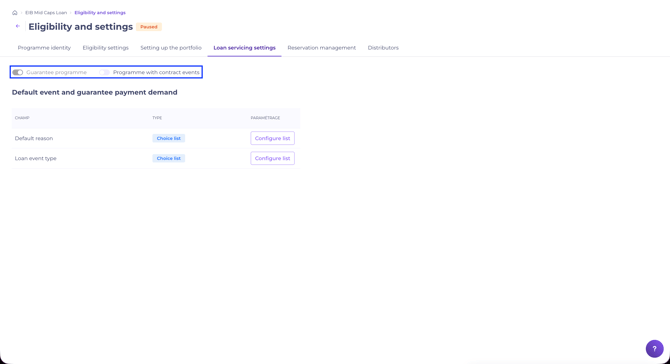
Enable the options when setting up the programme. Go to the programme, click "Manage programme" > "Loan life settings", then tick "Programme with guarantee" and "Programme with credit contract event".
Then configure the available fields according to your needs:
- Default reason (examples: bankruptcy, fraud, payment default).
- Event type (examples: early repayment, change in loan type, death of the director).
- New frequency (examples: annual, semi-annual, monthly).
Only the options configured here are shown to distributors when they submit a declaration.
Options are enabled separately for each of your programmes.
When your programme is set up and ready to distribute, click "Publish programme". For more details, see Creating a programme on Debt Eligibility.
You can update the configuration at any time by pausing the programme. Resume distribution once your changes are complete.
If the option is enabled but the fields are not configured, you cannot distribute the programme.
Once the programme is distributed, you can no longer disable the "Programme with guarantee" and "Programme with credit contract event" options.
2. Manage declarations
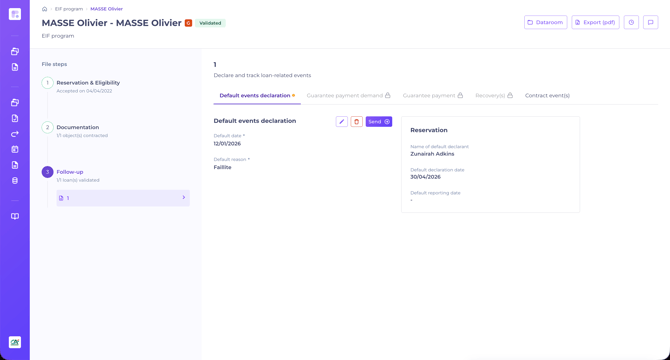
The programme manager sees all declarations submitted by distributors. Only the programme manager can edit or delete a submitted declaration. Once a declaration is submitted, the distributor can no longer modify it.
Declarations are logged at the level of a financing object in Validated status. A file containing several financing objects can therefore have several distinct declarations, each one linked to the relevant financing object.
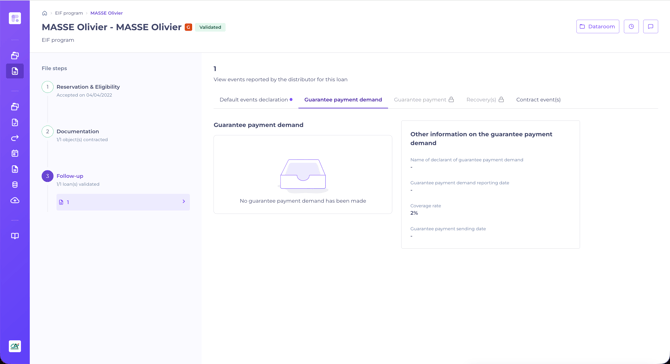
To review or manage a declaration, go to the relevant file > "Loan life" section.
If no information has been submitted by the distributor, the following is displayed:
3. Report events
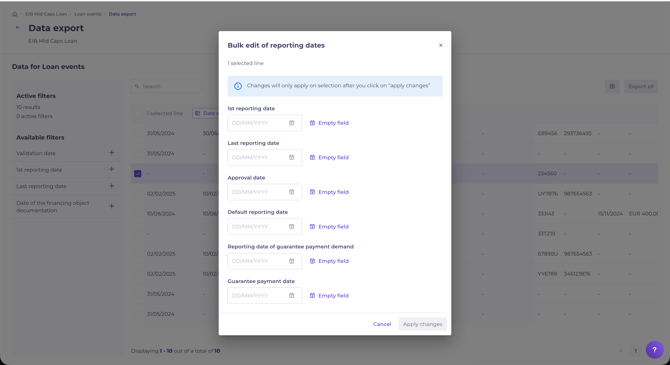
At each reporting period, log the dates related to the credit events submitted by distributors.
You have access to:
- Specific fields for these paths. Fields tagged "credit event" cover the guarantee call path. Fields tagged "contract event" cover the contract event path. Select the fields to include in your template based on the information you want to export.
- A "Guarantee payment" import file in Excel format. Download it from the reporting module: it contains 5 pre-defined columns:
- Financing object identifier
- Beneficiary registration number
- Amount paid by the guarantor
- Payment date to the envelope manager
- Payment date to the distributor
Complete this file on your server as events happen. At reporting time, import your data in one click in the module.
From the reporting view, you can also log new dates specific to credit events:
- Contract event reporting date
- Default reporting date
- Guarantee call reporting date
- Guarantee payment date
- Refund date to the distributor
- Refund date to the guarantor
When you edit the Guarantee payment date, it is automatically displayed in the distributor's interface, in the "Loan life > Guarantee payment" section of the relevant file.
Related articles: